
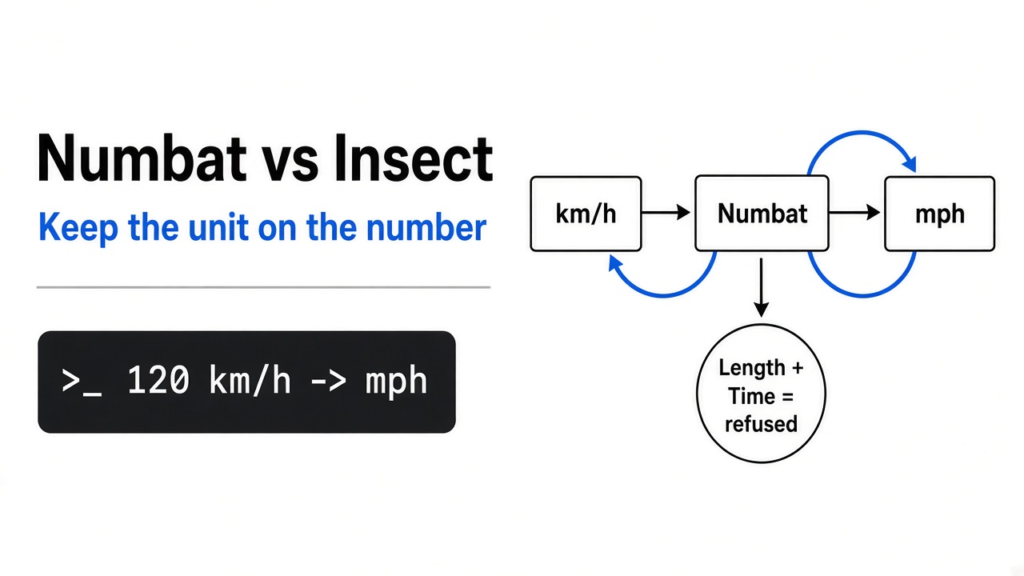
I had 42 kilometers and 35 minutes, and a notes app that would have treated both as plain numbers if I had been careless. Numbat is a calculator that keeps the unit on the number, so a length stays a length and a time stays a time. Insect is the older calculator from the same author, and that project now sends you to Numbat. Use Numbat. I ran it: 120 km/h came back as 74.5645 mph, two meters plus three seconds was refused, and one slash without parentheses came back as the wrong kind of unit.

Numbat vs Insect
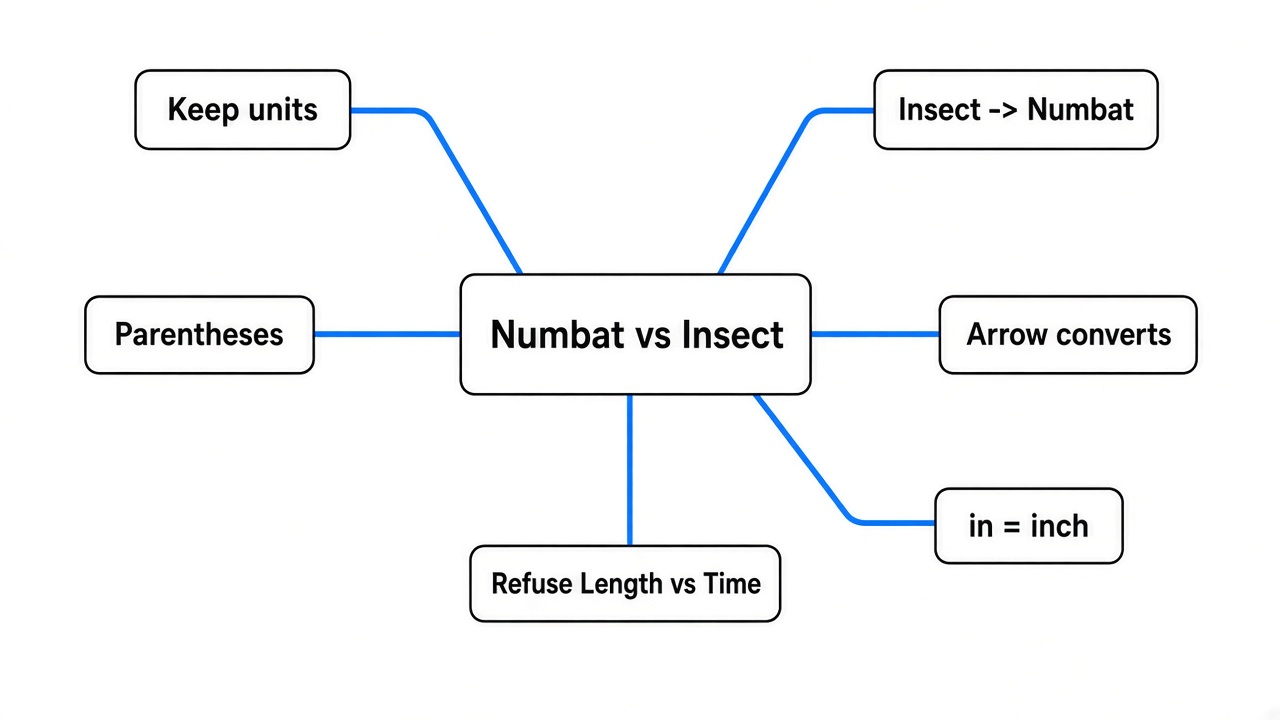
Numbat is the one to install. Insect is the one it replaced.
A unit is the label on a number, like kilometer or hour. A dimension is the kind of thing that label measures, length or time or energy. Two lengths can add. A length and a time cannot. A pocket calculator throws the label away as soon as you type the digits, which is why a wrong sum can still look tidy. Numbat keeps the label, and it stops the line when the kinds do not match.
Insect did that job first. Numbat is the program that still answers, and Insect’s page tells you to switch.

How do I install Numbat
Unpack a Linux build and run the file named numbat. No file after the name opens a prompt. The flag -e runs one line and quits, which is how I tested.
numbat -e '120 km/h -> mph'
That printed 74.5645 mph. The arrow means convert to this unit. The same line works at the prompt if you would rather type it yourself.
The speed, the energy, and the refusal did not need a network. A currency line also ran with no network, which is why that number is not a price you should pay.
Why does Numbat read in as inches
I typed 120 km/h in mph because that is how I would say the conversion out loud. Numbat printed 74.5645 in⁻¹ and called the kind of result a wavenumber, which means one over a length, not a speed.
I asked it to show the line it actually read. It had parsed 120 kilometres divided by hour, times an inch, times mph. in is the inch. The number is the same 74.5645 as the real miles-per-hour answer, which is how this one fools you. The arrow is the conversion. The word in is a unit. If the unit on the answer is not the unit you asked for, throw the number away.
What happens if I add meters and seconds
Numbat refuses the sum. I typed 2 m + 3 s. It stopped, and it named the left side Length and the right side Time.
That is the mistake a blank calculator will not catch. Both sides look like numbers. Only one of them is a distance. Numbat will not hand you a blended number and call it done.
The useful twin of that refusal is a conversion that is legal. 42 km / 35 min -> km/h printed 72.0 km/h. A length divided by a time is a speed. The arrow asks for that speed in the unit you named.
I then tried to name those two values. let time = 35 min failed, because time is already a function in the program, the one that reads a clock time from text. I called it elapsed instead.
numbat -e 'let trip = 42 km' -e 'let elapsed = 35 min' -e 'trip / elapsed -> mph'
That printed 44.7387 mph. Same trip, other unit. The name time is taken. Pick another word.
How do I convert km/h to mph
Write the quantity, then ->, then the unit you want.
120 km/h -> mph is 74.5645 mph.
Energy is the same shape. 1600 kcal/day -> W printed 77.4815 W. I expected something huge, because 1600 looks huge on a food label. Spread over a day, it is a small power, about what a hot old light bulb draws. The unit did that division for me.
1 au -> km printed 1.49598e+8 km. An astronomical unit is the Earth-Sun distance the program already knows, so I did not look it up.

Temperature does not look like the others. I typed 25 °C and Numbat said the name was unknown. Celsius here is a function, not a sticker you put on 25. from_celsius(25) printed 298.15 K. Kelvin is the temperature scale that starts at absolute zero, so a freezing point sits at 273.15 of those degrees, and 25 degrees Celsius is 298.15. from_celsius(25) -> fahrenheit printed 77. The other direction, 300 K -> celsius, printed 26.85, and that 26.85 is a plain number, not a temperature you can accidentally add to a length. I don’t love the split. It is the line that works.
How do I stop mixing up units in a calculation
Put the unit on every number, and put parentheses around a fraction.
I expected 1/2 km/h * 2 h/km to be 1. Half a kilometer per hour, times two hours per kilometer, should cancel to a pure number. Numbat printed 1 km⁻². It read 1/2 km/h as 1, divided by 2 kilometers, per hour. The unit fell into the denominator.
The lines that meant what I meant:
numbat -e '0.5 km/h * 2 h/km'
numbat -e '(1/2) * km/h * 2 h/km'
Both printed 1.
30 cm / 5 m printed 0.06. Two lengths divided give a plain ratio, and that one was fine. The trap is a fraction glued to a unit with no parentheses.

This is in contrast to a calculator that only stores digits. There the mistake is a wrong factor you typed by hand, and the screen still looks finished. With Numbat the leftover unit is the warning. If you asked for a pure number and you still see km⁻², you are not done.
Is Numbat worth it
Yes, if you type calculations and you are tired of converting by hand. No, if you want buttons, or a price you can pay with.
I ran 10 USD -> EUR and got 8.9222 €. Nothing left the machine to fetch a rate. A stored rate is not a bank. Do not send money from it.
Skip Numbat when the job is a spreadsheet, a figure for a paper, or a phone calculator with big keys. Use it when the job is one line: a speed, a power, a ratio, or a sum that should be refused.
| Line I typed | What came back | What it means |
|---|---|---|
| 120 km/h -> mph | 74.5645 mph | a speed, relabeled |
| 120 km/h in mph | 74.5645 in⁻¹ | in means inch, not convert to |
| 42 km / 35 min -> km/h | 72.0 km/h | length over time is speed |
| trip / elapsed -> mph | 44.7387 mph | do not name the value time |
| 1600 kcal/day -> W | 77.4815 W | a day’s food as power |
| 2 m + 3 s | refused, Length vs Time | the sum was never a number |
| 1/2 km/h * 2 h/km | 1 km⁻² | the slash ate the unit |
| (1/2) * km/h * 2 h/km | 1 | parentheses fixed it |
| from_celsius(25) -> fahrenheit | 77 | temperature goes through a function |
| 10 USD -> EUR | 8.9222 € | a stored rate, not a quote |
When should I use something else
Use something else when you want a window of buttons, or when the expression in your head has no units at all. Numbat is a typed line. If that feels like a small programming prompt, it is. You can name a value with let, and you can put several lines in a file if one expression is not enough. I stayed on -e, because one line was the whole test.
The same reason you would keep a transcript on your own computer is the reason to keep the unit on the number. How do I transcribe audio to text on my own computer for free? is that habit for speech. pdfcraft vs qpdf is that habit for a PDF you do not want to upload. OfficeCLI is that habit for a Word file when you do not have Word. None of them replace a unit-aware calculator. They sit next to it.
If a coding agent is writing the line, tell it to keep the unit visible and to wrap fractions. A different leak is the agent that builds more than you asked for: how to stop Claude Code from writing extra code.
Is Numbat free
Yes. I ran a local build. No account, and no key.
Does Numbat work offline
Yes for every line above, including the currency figure. Offline is the reason that euro number is not a quote.
Can Numbat do Fahrenheit
Yes. from_celsius(25) -> fahrenheit printed 77. Typing 25 °C did not work in the line I tried. Use from_celsius.
Should I still install Insect
No. Insect is the older calculator, and its page points you at Numbat. Install Numbat.
Numbat itself is at numbat.dev and the code is at github.com/sharkdp/numbat. Insect, only so you can see that pointer, is at github.com/sharkdp/insect.
I am keeping the binary. The next time a distance and a clock show up in the same sentence, I want the program to get angry before I do.


1 comment