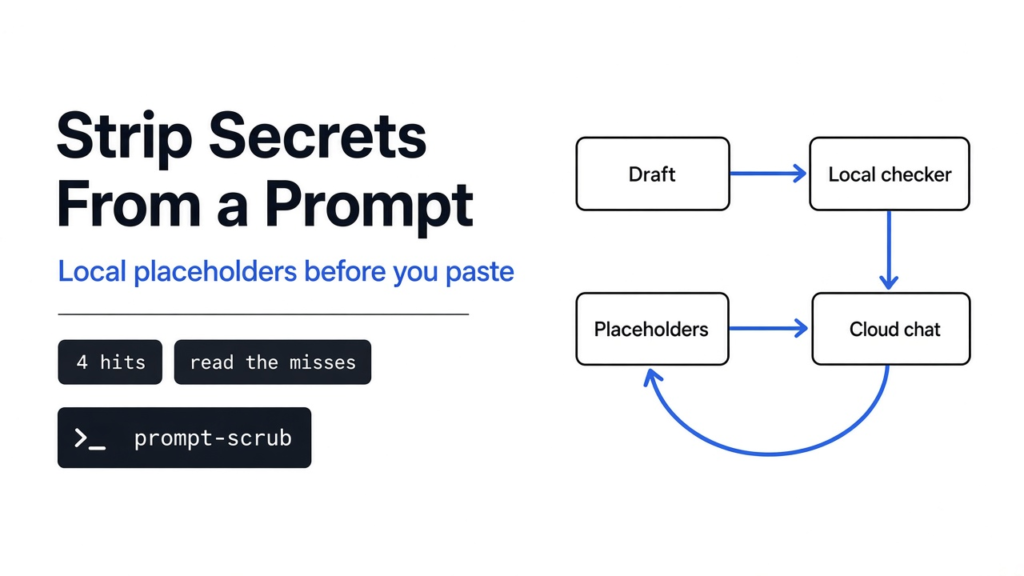
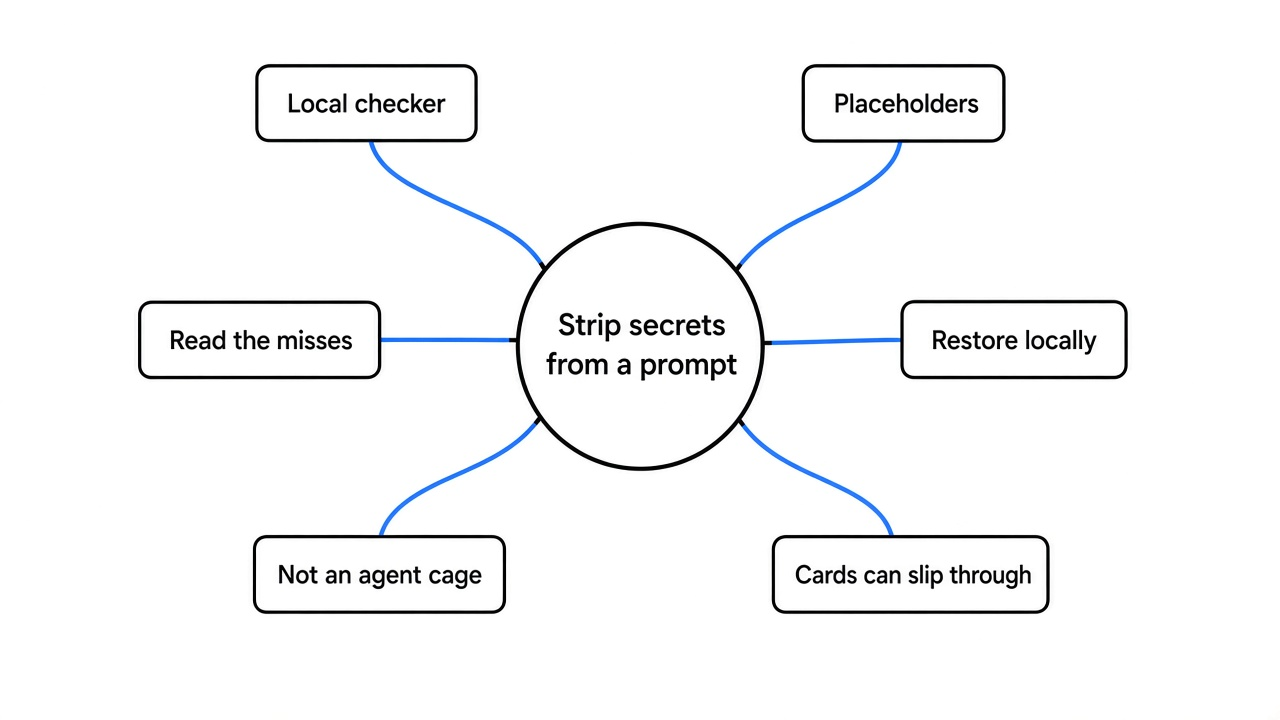
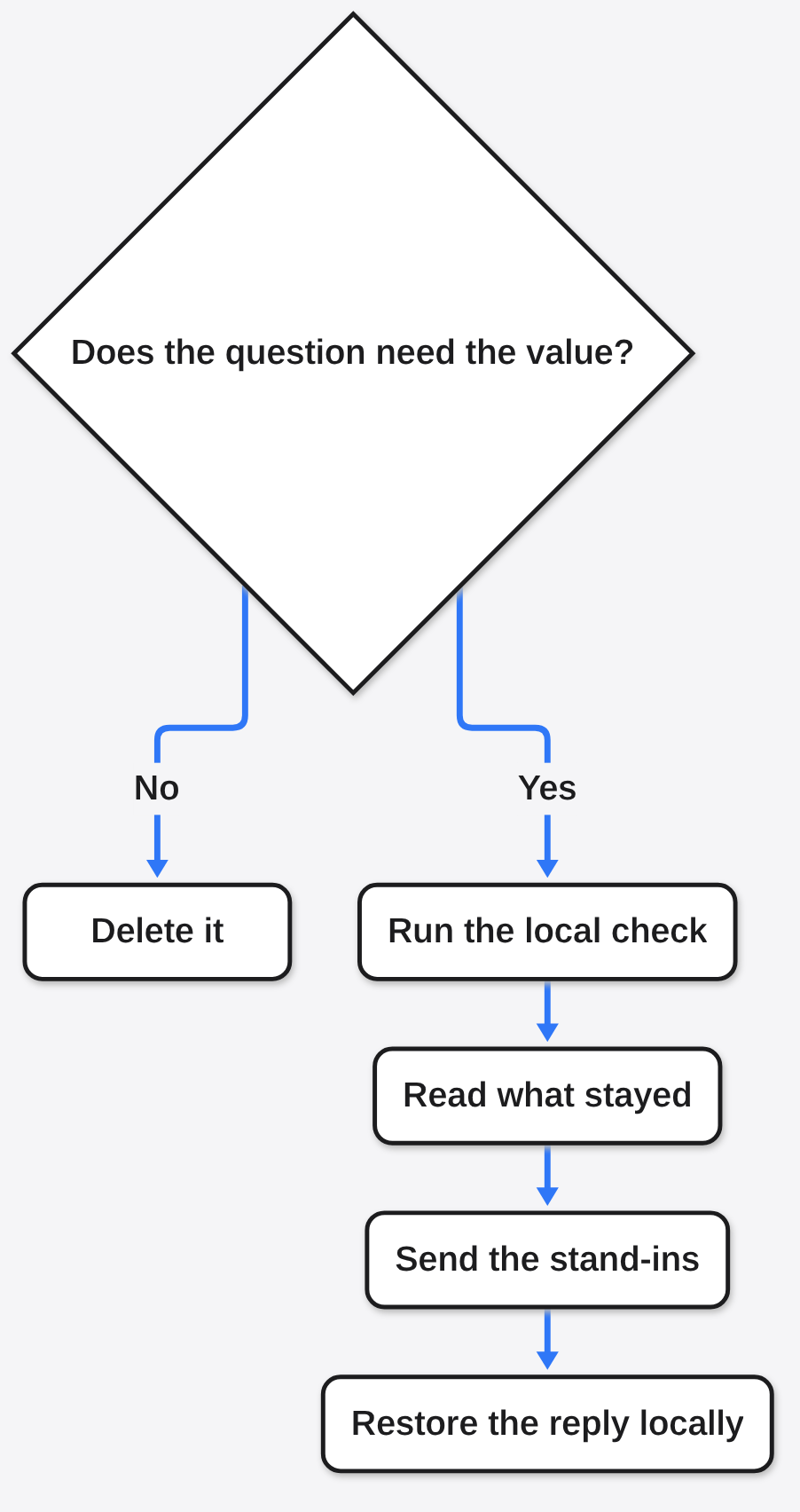
How do I strip secrets from a prompt: I replace each secret with a stand-in on my own machine, I read what the checker missed, and only then do I paste. A prompt is the text you hand to a model. A cloud model [a program on someone else’s computer that answers from the text you send] keeps a copy of that text. Deleting the secret makes the sentence useless. A placeholder [a stand-in the other computer sees instead of the real value] keeps the sentence, and the real value stays here.
Prompt Scrubber is a small local program that does that swap. The current release of @nanocollective/prompt-scrub on npm is 1.4.0. It is worth it when you paste logs, tickets, or emails into a chat and you will look at the misses. It is not worth it if you wanted a wall around a coding agent, or if you needed card numbers, private key blocks, and GitHub-style tokens caught with the settings it ships.
The text on your screen and the text that arrives at the other computer are the same string until something rewrites it. Prompt Scrubber is that rewrite. It does not call a model. It does not hide you. It looks for shapes, swaps the ones it knows, and prints the rest unchanged.

Run a Local Checker Before You Paste
You strip them by running the text through a local checker, keeping a stand-in for each match, and reading the line that is about to leave. I used Prompt Scrubber for that check. The command that actually printed results on my machine is in the install section below. The installed name, typed alone, printed nothing.
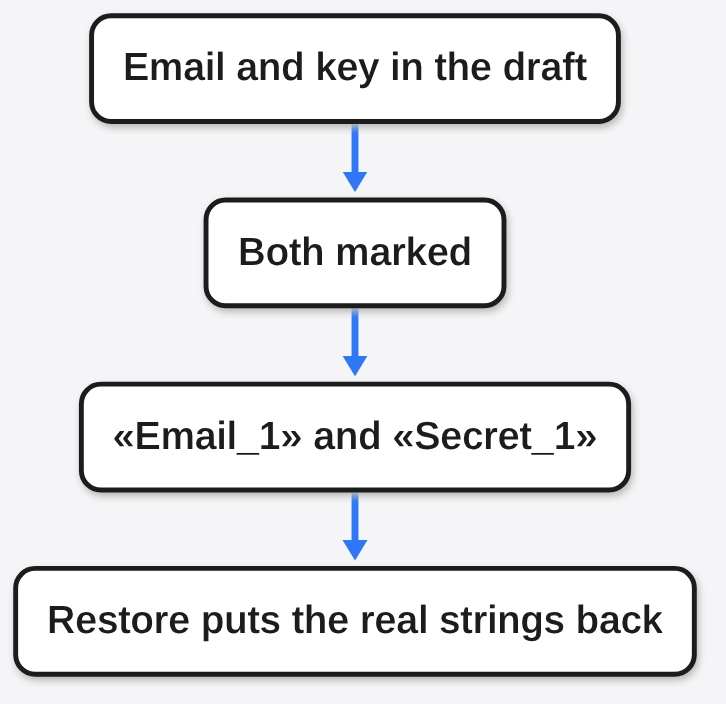
A black bar throws the word away. A placeholder keeps a label, such as «Email_1», so the model still knows “this is the person to write to.” Later, rehydrate [swap each stand-in back to the real value, on your machine] puts your words back into the reply. The other computer never had to see them.
What a Prompt Actually Sends
A prompt sends every character in the box: the question, the pasted log, the email address inside the log, and the key you did not notice on line forty. The model does not get a summary. It gets the string.
That is different from a file sitting on your disk. A file stays put until some program reads it. A prompt is you choosing to send. If a coding agent reads .env by itself, this checker never sees that read. That is a different job, and the page on whether a coding agent already sent a key is the one that looks at a session after the fact. The page on which cage the agent is actually in is about stopping the read. This page is only about the text you are about to paste.
Is Prompt Scrubber Worth It
Yes, for a paste you can review. No, as a promise that the paste is clean.
I would use it on a support log or a ticket before a cloud chat. I would not use it as the only guard on a machine where an agent can open files. The program is honest about being a partial check, and my run agreed. Four shaped secrets moved to stand-ins. A card number, a network address, a company name, and a private key block stayed in the text with the defaults.
| What you are about to do | Use it? |
|---|---|
| Paste a log or a ticket into a chat | Yes, then read the misses |
| Want the reply to use the real email again | Yes, restore it locally |
Stop an agent from opening .env | No |
| Trust a blank report as proof the text is safe | No |
What I Got When I Scrubbed a Fake Log
I fed it one made-up paragraph: an email alice@acme.example, a key shaped like sk-proj-FAKEKEY1234567890abc, the path /home/alice/.ssh/id_rsa, a phone +44-7700-900999, a 16-digit card number, a network address 10.1.2.3, and a sentence about a Berlin billing desk and Northwind Logistics.
The check printed four hits:
[Email]    alice@acme.example               → «Email_1»
[Secret]   sk-proj-FAKEKEY1234567890abc     → «Secret_1»
[Path]     /home/alice/.ssh/id_rsa.         → «Path_1»
[Phone] +44-7700-900999 → «Phone_1»The scrubbed line was usable. “Please email «Email_1» about invoice 4421. The key is «Secret_1».” The same email a second time became the same «Email_1», so the model can tell it is one person. I then asked the program to restore that line. The email and the key came back, on my machine, from the session it had just stored.
One caveat. The path match included the period after the filename. The sentence that followed lost its stop and ran into the next word: Read «Path_1» Call. The secret was gone. The grammar was damaged. That is a small miss, and it is the kind you only see if you read the output.
What Prompt Scrubber Still Lets Through
With the settings it ships, it left the dangerous parts of my second and third samples sitting in the open.
| Left in the text | What I had typed |
|---|---|
| Card number | 16 digits, including a spaced card number |
| Network address | 10.1.2.3 |
| Stripe-style key | a value starting sk_live_ |
| GitHub-style token | a value starting ghp_ |
| Private key block | a block that begins BEGIN OPENSSH PRIVATE KEY |
| Company and city, until I asked | Northwind Logistics, London |
| Long cloud secret next to an access-key id | the id that starts with AKIA was marked, the long secret beside it was not |
A URL with a password inside it was split, not understood. https://user:s3cr3t@files.example.com/a became a short URL stand-in, then the password-looking piece was marked as an email, then /a was another URL. The password did leave the outgoing line, but only because it was glued to an @. I would not call that a password rule. I would call it a lucky overlap.
A detector [one rule that looks for one shape, such as an email] is not a reader. It does not know that “the Berlin billing desk” names a place only your company has. That sentence left unchanged, which is correct for a shape checker and useless if you thought the story itself was hidden.
Why Names Stay In Unless You Ask
Name matching is off until you turn it on. I turned it on with --enable NameDetector for one line: “Ask Alice Chen at Northwind Logistics, 10 Downing Street, London,” plus the sk_live_ key and the ghp_ token.
It marked “Ask Alice Chen” as a name, including the word Ask. It marked Northwind Logistics. It marked London as a name. It marked “10 Downing Street” as an address. It still did not mark sk_live_ or ghp_.
Those name hits carried a confidence [a score from 0 to 1 for how sure that rule is] of 0.50. The email hit earlier was 0.95. A low score is a false positive [a match that is not a secret] waiting to happen. “Ask” is not a person. If you raise the floor with --min-confidence 0.8, you will drop the shaky names, and you will also drop anything real that the program was only half sure about. I would turn names on only for a draft I am willing to re-read.
There is a second switch, off by default (--code-tell-terms), for private words that have no shape: an internal codename, a customer that is not an email. That switch stayed off here. If the secret is a word only you would recognize, no shape rule will find it until you list the word.
How to Use Prompt Scrubber
Install it, then run the file the install points at if the short command is silent.
npm install -g @nanocollective/prompt-scrubPreview, do not change anything:
printf '%s\n' 'email bob@example.com' | node "$(npm root -g)/@nanocollective/prompt-scrub/dist/cli/index.js" inspectThat printed bob@example.com as «Email_1» and wrote no session. Swap for real:
printf '%s\n' 'email bob@example.com' | node "$(npm root -g)/@nanocollective/prompt-scrub/dist/cli/index.js" scrubRestore a reply that still contains «Email_1»:
node "$(npm root -g)/@nanocollective/prompt-scrub/dist/cli/index.js" rehydrate --session-id THE_ID_THE_SCRUB_PRINTEDThe short name prompt-scrub is what the install creates. On my machine that name exited at once and printed zero characters, even on a line with an email. The program only starts when the path you launched matches the real file exactly, and the installed name is a link, so those two strings differ. The node "$(npm root -g)/..." form is the one that worked. If prompt-scrub inspect is silent, the text was not checked.
The project lives at Nano-Collective/prompt-scrubber. There is also a page at nanocollective.org/prompt-scrub. The docs also describe a proxy mode that would sit in front of outgoing requests, and a clipboard watch. This page stays with inspect, scrub, and rehydrate on text you already have in a file or a pipe.
Prompt Scrubber vs Deleting the Secret Yourself
Deleting is safer only when the secret is not needed for the question. “Fix this function” does not need the customer’s email. Cut it.
A placeholder is better when the relationship matters. “Tell «Email_1» that «Email_2» already paid” still has two people. “Tell that that already paid” does not. I would rather send the stand-ins and restore the reply than send the raw log, or send a sentence with holes.
Hand editing also misses the line you did not see. The checker missed plenty too. The difference is it shows its work in a list. Your eyes plus that list beat either one alone.
When Prompt Scrubber Is Not Worth It
Skip it when the job is not a paste.
It will not stop a coding agent from reading a key file. Pair the paste check with a cage around the agent, and with a look at the session if you already suspect a key left. A review of the diff, which is what security-review versus a full audit is about, also does not watch the prompt you paste tonight. And a stop button outside the model, the idea in the emergency brake, is a different layer again: it can halt a run, it does not rewrite the paragraph in your clipboard.
Skip it when you need the defaults to catch cards, private key blocks, or tokens that start with ghp_ or sk_live_. My runs left those in. Shipping a tool that misses those, and trusting the empty line, is worse than pasting with your own eyes open.
Skip the name switch on a long document if you will not re-read. It ate the word Ask.
Common questions about stripping secrets from a prompt
Can I Put the Real Values Back After?
Yes. Scrub prints a session id. Rehydrate with that id put alice@acme.example and the sk-proj- key back into the line I gave it. The map stays on your machine. Do not paste the map into the chat, or you have sent the secret beside the stand-in.
Does This Stop a Coding Agent From Reading a Key File?
No. This program never sees a file the agent opens, unless you pipe that file’s text through it yourself. A quiet inspect report is not a clean disk.
What Should I Do With a Low Confidence Name?
Read it. A 0.50 hit is a guess. Keep the email at 0.95. Drop the floor only when you know which real secrets you might hide from yourself by doing it.
I will keep using the check on pastes. I will not tell myself the outgoing line is clean because the program returned. The card number was still in the sentence. That is the whole lesson.