
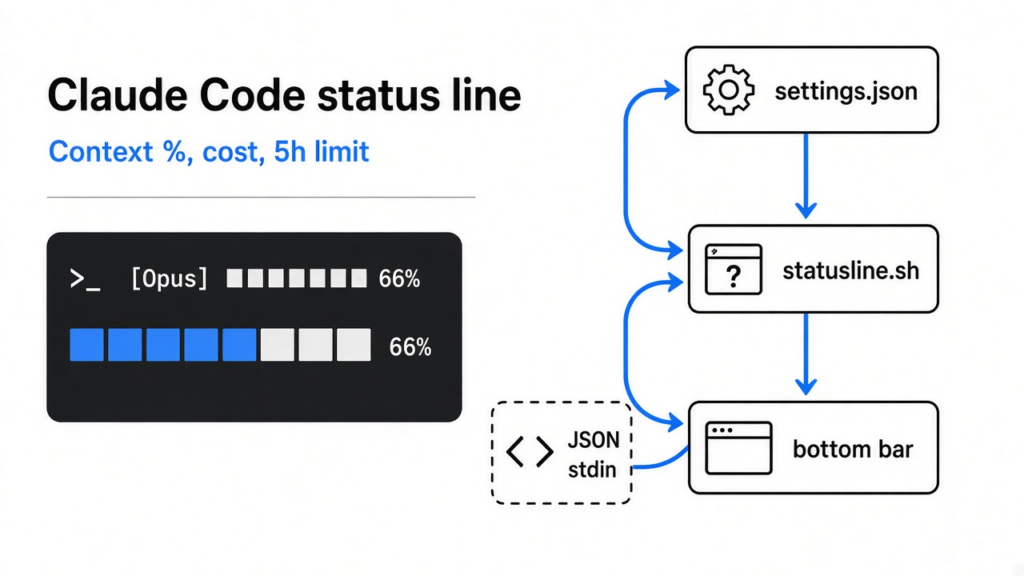
See your context, cost and limits at a glance, without asking Claude.
Short answer: Add a statusLine entry to ~/.claude/settings.json that points to a small script. Claude Code sends that script a JSON message with your model, context percentage, cost and limits, and prints whatever the script prints at the bottom of the screen. Type /statusline and Claude can write the script for you.
You are deep in a Claude Code session. The answers start getting vague. Claude forgets a rule you gave it an hour ago. You only find out why when you type /context and see the memory is almost full.
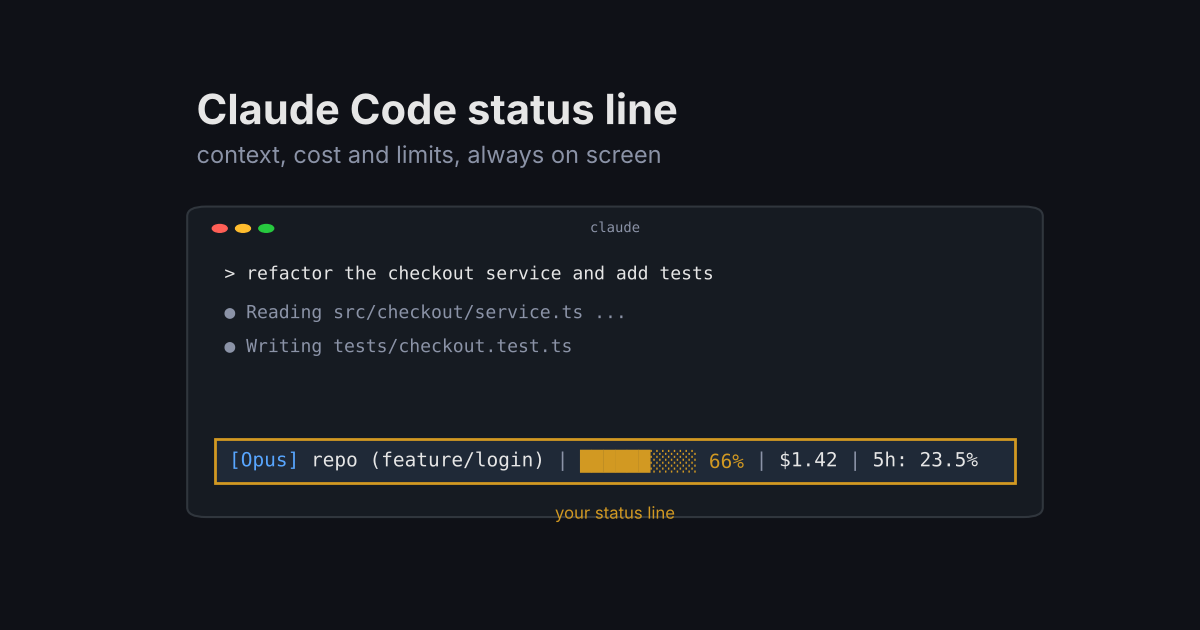
That surprise is the problem this post fixes. One line at the bottom of your screen can show you how full Claude’s memory is, how much the session cost, and how close you are to your usage limit, all the time.
So the thread of this post is simple: you can’t manage what you can’t see. I built a status line from scratch, tested it with fake data, and timed six ways of running it. One popular setup turned out to be 75 times slower than a tiny script.
What is the Claude Code status line?
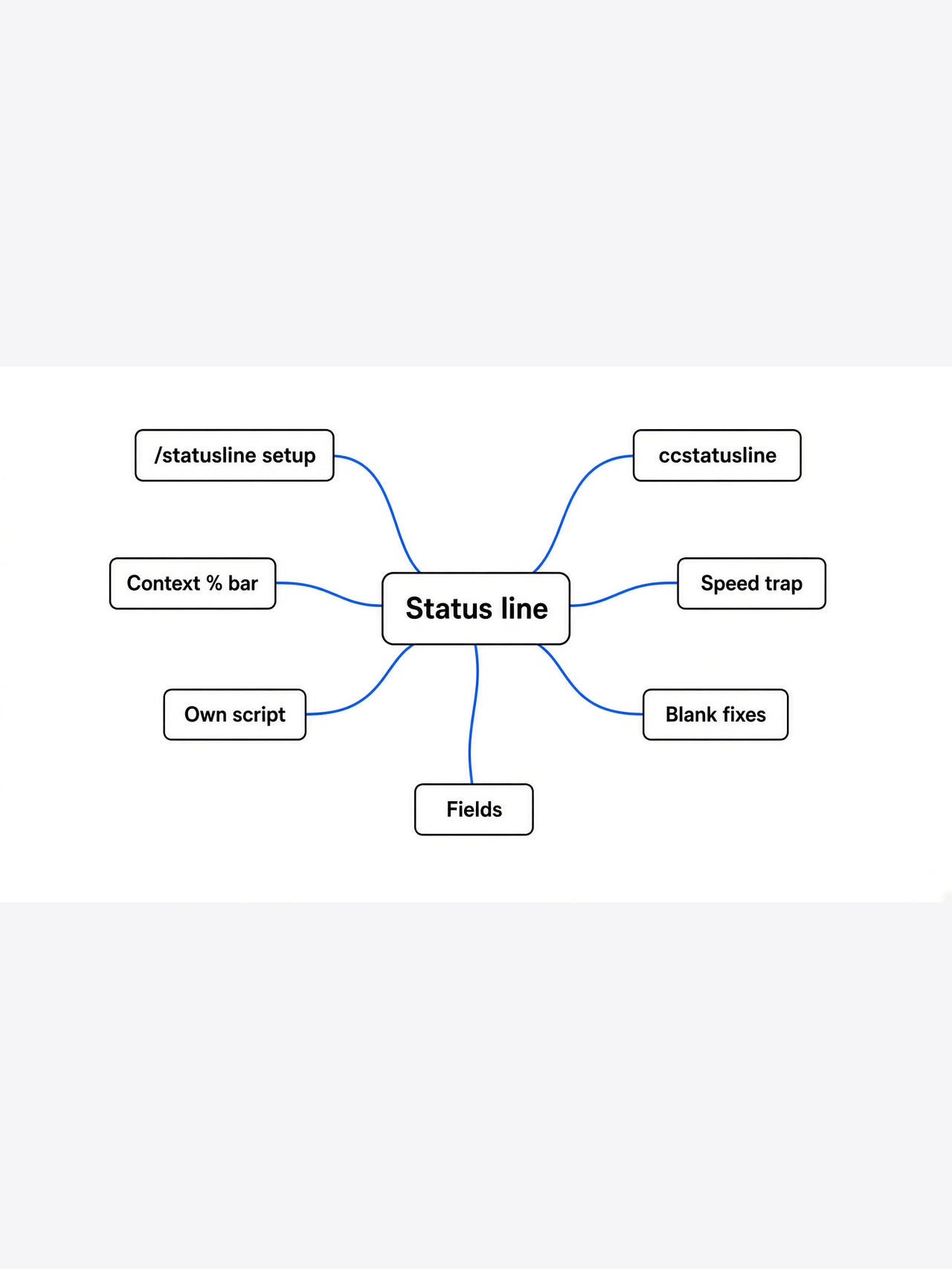
It is a single row at the bottom of Claude Code that shows whatever your own script prints.
Think of it like the dashboard in a car. The engine runs either way. The dashboard just tells you speed and fuel so you are not surprised on the highway.
Claude Code has no fixed dashboard. Instead, it lets you plug in your own. You give it a command, it runs that command, and the text the command prints becomes the status line. It can be one line or several, with colors and clickable links.
That plug-in design is why this works for everyone. You choose what matters to you. Some people want the git branch. Others want cost. Most people, once they try it, want context usage.
Why does context usage matter so much?
Because when Claude’s memory fills up, quality drops before you notice.
First, one idea you need. Claude reads text in tokens (small chunks of text, often a piece of a word). Everything in your session, your messages, its replies, the files it opened, is counted in tokens.
The context window (the maximum amount of text the model can hold in mind at once) has a fixed size. In Claude Code it is 200,000 tokens by default, or 1,000,000 for models with extended context.
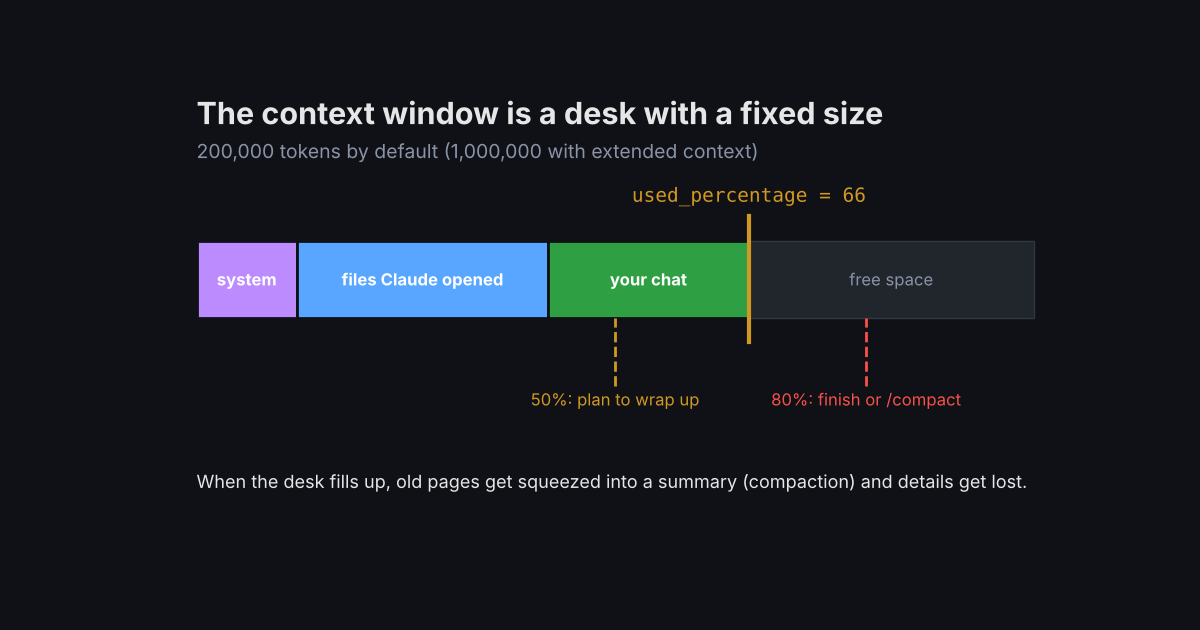
Picture a desk. Every file Claude opens is another sheet of paper on it. When the desk is full, older sheets get pushed into a summary pile. That summary step is called compaction (shrinking old conversation into a short summary to free space), and details get lost in it.
So the number to watch is simple: what percent of the desk is covered. If you see 66%, you still have room. If you see 85%, it is time to finish the task, or compact on your own terms. I explain what gets lost in why Claude Code compaction drops your instructions.
How does a status line script get its data?
Claude Code sends your script a JSON message on stdin, and shows what the script prints to stdout.
Two terms first. Stdin (standard input) is the pipe a program reads from. Stdout (standard output) is the pipe it writes to. When you type cat file | grep word, the text flows out of cat and into grep through those pipes.
Claude Code does exactly that. Each time it updates, it pipes a JSON object (structured text made of names and values) into your script. Here is a trimmed piece of it:
{
  "model": { "id": "claude-opus-5-5", "display_name": "Opus" },
  "workspace": { "current_dir": "/home/dev/shop-api" },
  "cost": { "total_cost_usd": 1.42 },
  "context_window": {
    "context_window_size": 200000,
    "used_percentage": 66,
    "remaining_percentage": 34
  },
  "rate_limits": { "five_hour": { "used_percentage": 23.5 } }
}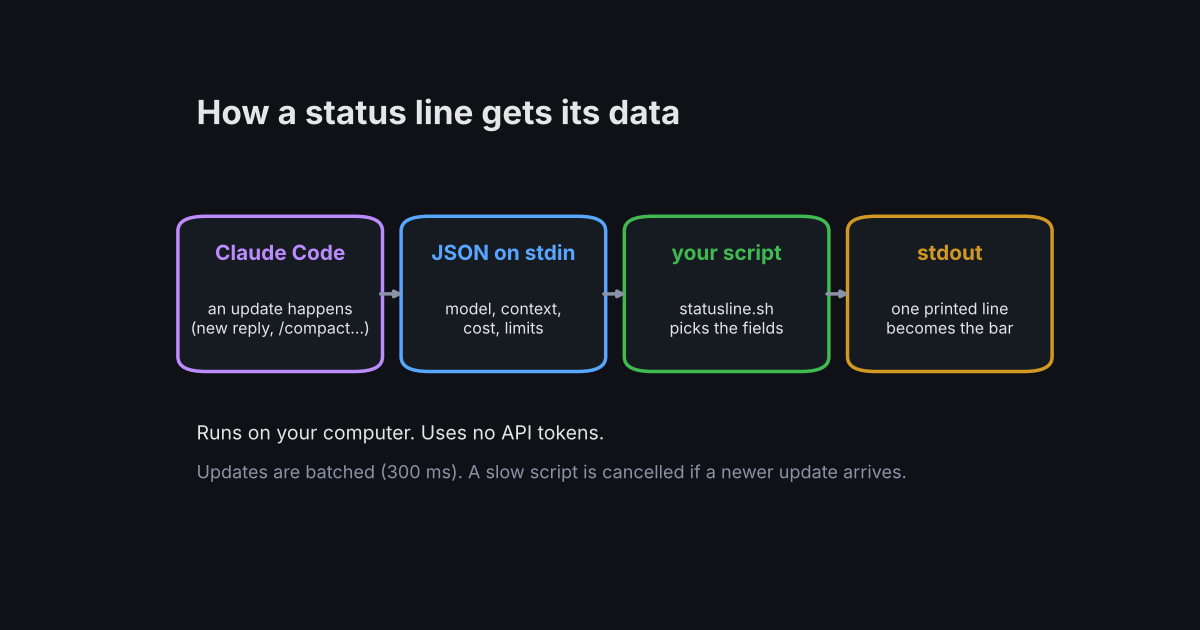
The fields you will use most are context_window.used_percentage, cost.total_cost_usd and model.display_name. The rate_limits part only shows up for Pro and Max plans, and only after the first reply in a session.
That last detail matters for your script. Some fields can be missing or null early in a session, so a good script always has a fallback. Otherwise your status line goes blank on a fresh start.
How do you set up the Claude Code status line?
The fast way is one slash command. The reliable way is a short script you own.
The fast way: inside Claude Code, type something like this, and approve the file edits it asks for.
Claude writes a script into ~/.claude/ and updates your settings for you. To remove it later, run /statusline delete.
The reliable way is to write it yourself, because then you know exactly what runs on every update. Here is the script I tested. It needs jq (a small command-line tool for reading JSON), which you can install with brew install jq on Mac or your package manager on Linux.
#!/bin/bash
# One jq call reads every field we need (faster than one call per field)
input=$(cat)
IFS=$'\t' read -r MODEL DIR PCT COST FIVE <<<"$(echo "$input" | jq -r '[
  .model.display_name,
  .workspace.current_dir,
  (.context_window.used_percentage // 0 | floor),
  (.cost.total_cost_usd // 0),
  (.rate_limits.five_hour.used_percentage // "-")
] | @tsv')"

# 10-block bar: green under 50%, yellow under 80%, red after
FILLED=$((PCT / 10)); BAR=""
for i in $(seq 1 10); do [ $i -le $FILLED ] && BAR+="█" || BAR+="░"; done
if   [ $PCT -ge 80 ]; then C='\033[31m'
elif [ $PCT -ge 50 ]; then C='\033[33m'
else C='\033[32m'; fi

BRANCH=$(git -C "$DIR" branch --show-current 2>/dev/null)
printf "[%s] %s%s | ${C}%s %s%%\033[0m | \$%.2f | 5h: %s%%\n" \
  "$MODEL" "${DIR##*/}" "${BRANCH:+ ($BRANCH)}" "$BAR" "$PCT" "$COST" "$FIVE"
Save it as ~/.claude/statusline.sh, then make it runnable with chmod +x ~/.claude/statusline.sh. Then add this to ~/.claude/settings.json:
{
  "statusLine": {
    "type": "command",
    "command": "~/.claude/statusline.sh"
  }
}Claude Code reloads settings on its own, so the line appears as soon as you save. The // 0 parts are the fallbacks from the last section. They keep the line alive when a field is empty.
Does it work? Test it with fake data first
Yes. Pipe a sample JSON file into the script and you see the exact line before Claude Code ever runs it.
This step saves the most frustration. If a script prints an error or nothing at all, the status line just goes blank, with no message. So test it outside Claude Code first.
I saved the sample JSON above as payload.json inside a test git repo on a branch called feature/login, then ran:
~/.claude/statusline.sh < payload.jsonIt printed:
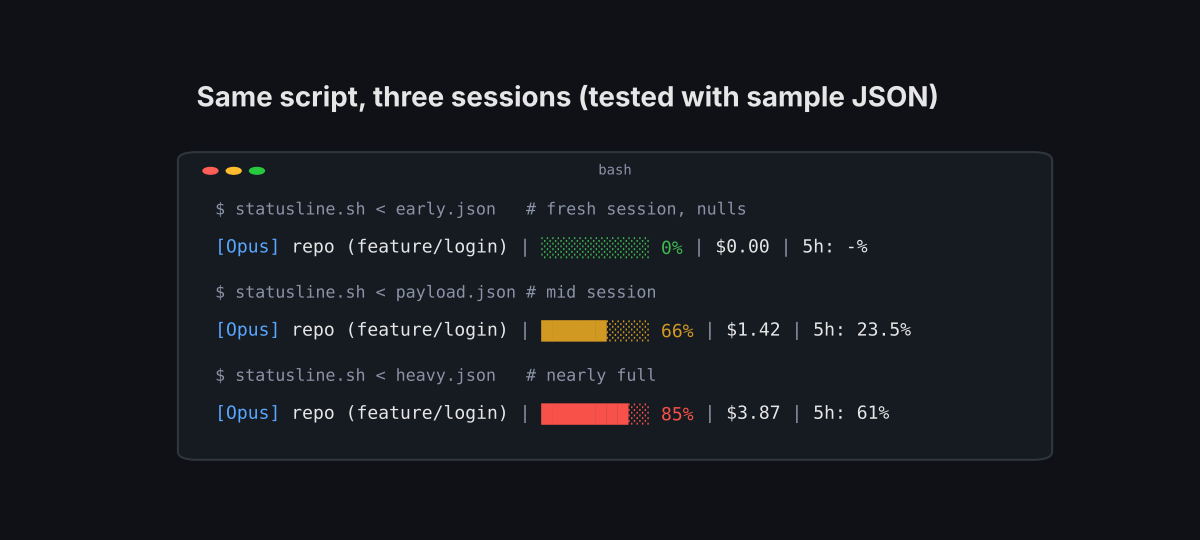
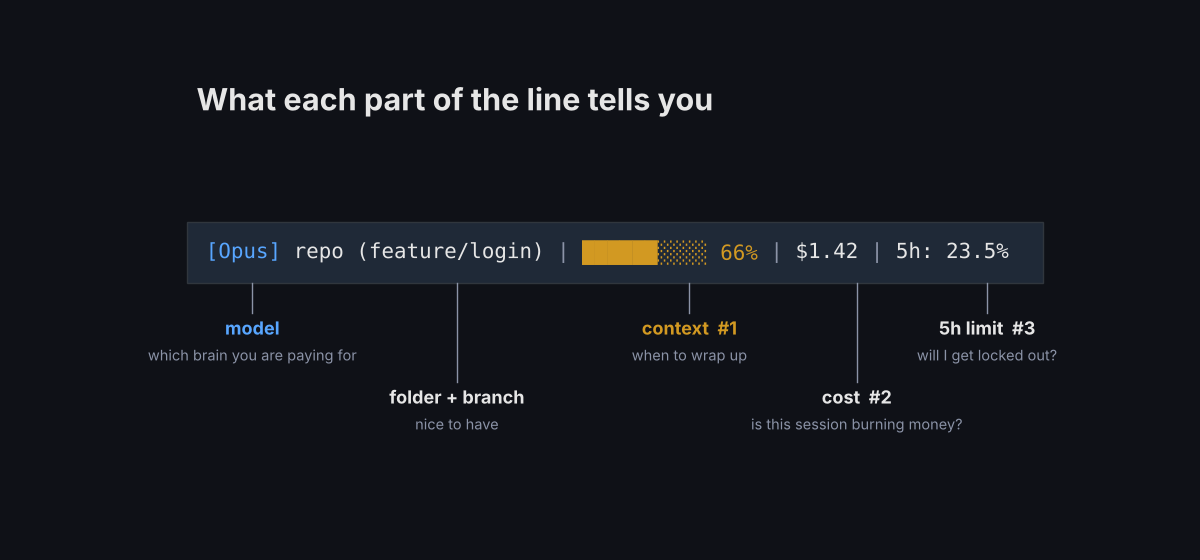
The bar came out yellow, because 66 is between 50 and 80. Then I tested the worst case: a fresh session where used_percentage is null and there are no rate limits yet. It still printed a clean line, 0% with a green bar and 5h: -%, and exited with code 0. That is the result you want.
Should you use ccstatusline or write your own?
Use ccstatusline if you want a menu and lots of widgets. Write your own if you want speed and control. Either way, never run it through npx with @latest.
ccstatusline is a free, open source (MIT licensed) status line for Claude Code. It gives you a menu in the terminal where you pick widgets: model, context bar, git branch, session cost, usage limits, cache stats and dozens more. You start it with npx -y ccstatusline@latest, and it writes the settings for you.
Here is the catch I did not expect. Your status line command runs on every update, not once. So I timed six setups on the same JSON, 15 runs each, on a small 2-core Linux test machine.
| How the status line runs | Typical time per update |
|---|---|
Inline jq command (one field) | 5 ms |
My script (one jq call + git branch) | 18 ms |
Same script with five separate jq calls | 28 ms |
| ccstatusline, installed globally (pinned) | 384 ms |
npx -y ccstatusline (no @latest) | 702 ms |
npx -y ccstatusline@latest | 1,356 ms |
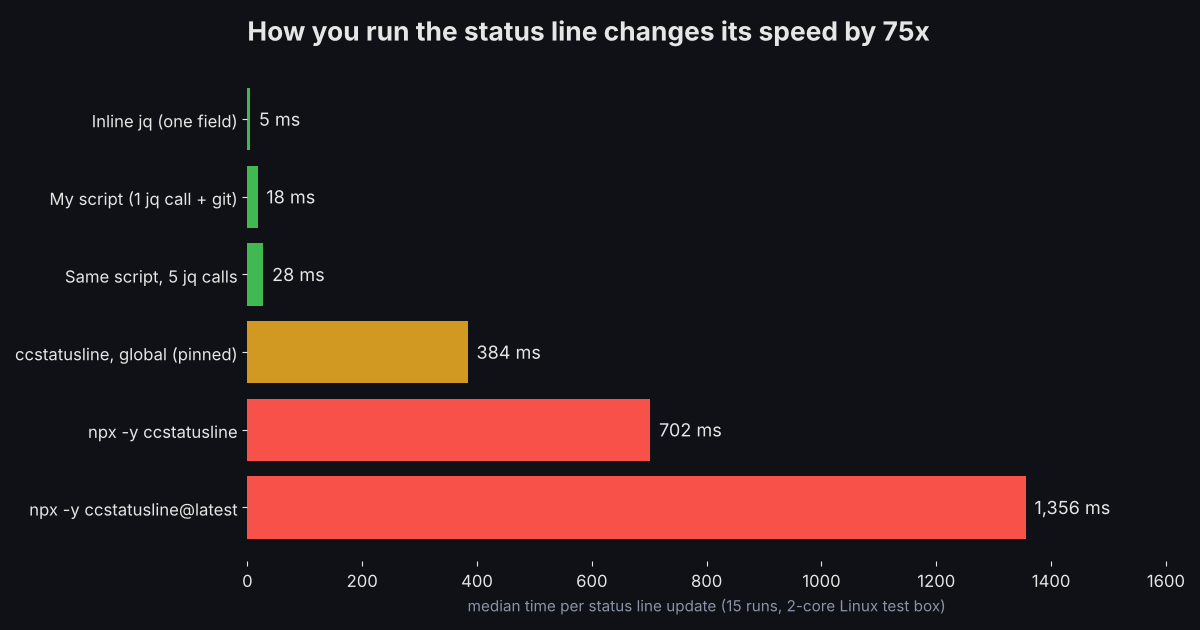
That is about 75 times slower for the npx @latest version than my 18 ms script. The reason is simple. With @latest, npx asks the package registry for the newest version before every run. The ccstatusline app itself is also one big file, about 3 MB, that Node has to load each time.
Why should you care about a second? Because Claude Code only shows the new line after the script finishes. A slow script means a stale status line. And if a new update arrives while the old script is still running, Claude Code cancels the old one.
Your machine may be faster or slower than my test box, so your exact numbers will differ. The order should not.
Still, ccstatusline is worth using if you like menus. Just pick the pinned global install when its setup asks, so your settings call ccstatusline directly instead of npx. In my test that cut the time per update by more than two thirds compared with npx @latest.
Why is my Claude Code status line blank?
Usually one of four things: the script is not executable, it failed, the folder is not trusted, or a setting turned it off.
Work through these in order, because the first ones are the most common:
- Run
chmod +x ~/.claude/statusline.sh. A script without run permission does nothing. - Run the script by hand with sample JSON, as shown above. It must print to stdout and exit with code 0.
- Accept the folder trust prompt. The status line runs a shell command, so Claude Code waits until you trust the folder.
- Check for
"disableAllHooks": truein your settings. It also turns off your status line.
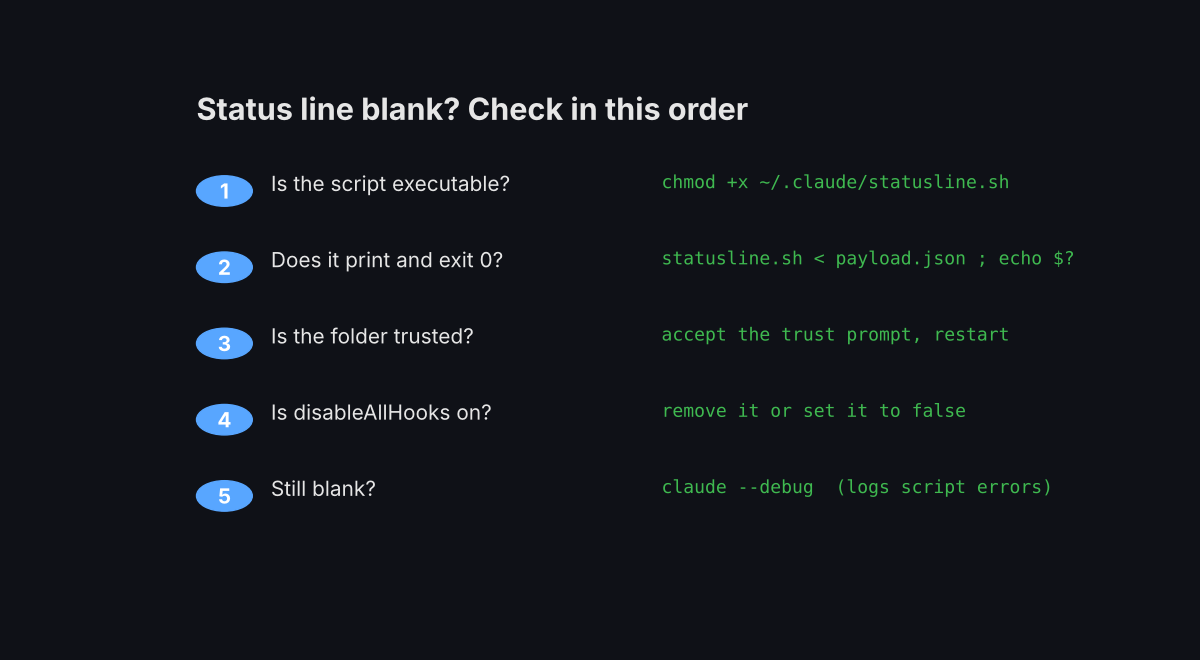
Still stuck? Start Claude Code with claude --debug. It logs your script’s errors on each run, and logs a line saying the status line was skipped when the folder is not trusted.
Two smaller gotchas. On Windows with Git Bash, write the script path with forward slashes, because backslashes get eaten. And if values show -- or empty on a brand new session, that is normal until the first reply arrives.
Which fields are worth showing?
Context percentage first, then cost, then your 5-hour limit. Everything else is a bonus.
Keep the line short. The status bar is only as wide as your terminal, and long output gets cut off or wraps.
Here is the order I use, and why. Context percentage tells you when to wrap up. Cost tells you if a session is burning money. The 5-hour limit tells you whether you will get locked out mid-task. Git branch is nice, but you can see it in your editor.
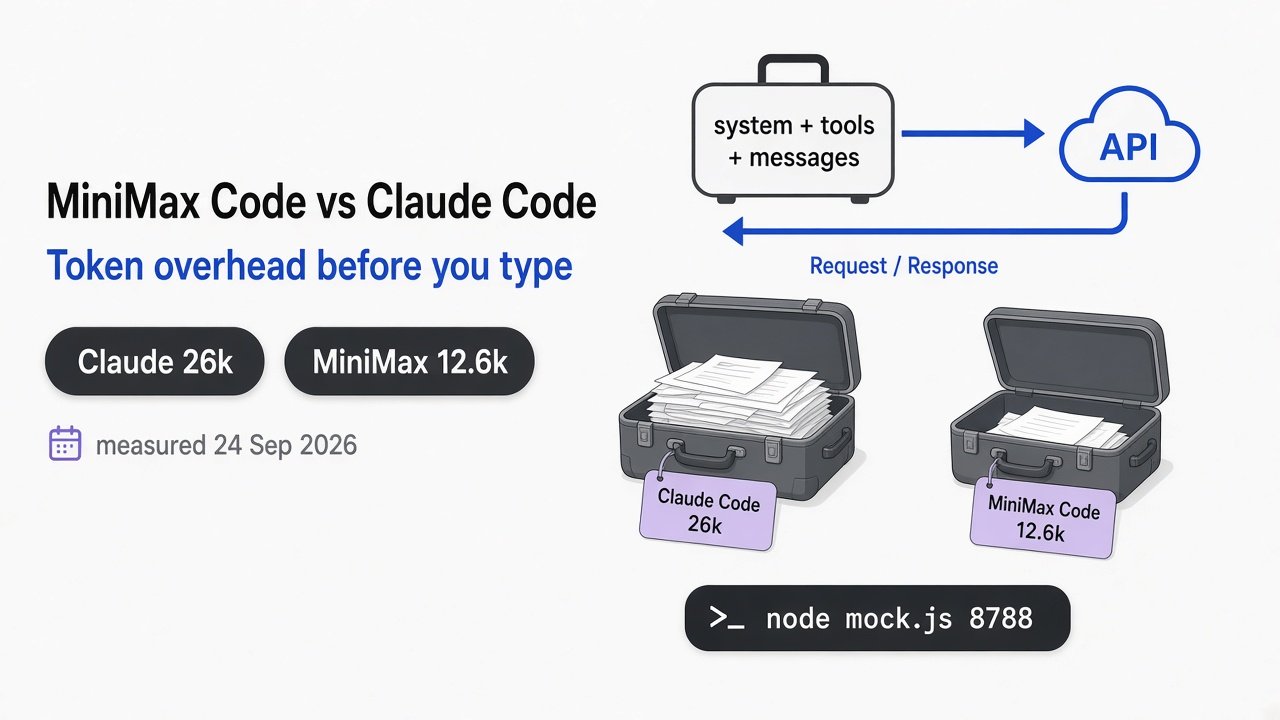
If you load a lot of tools, also watch how much of that context they eat before you type anything. I measured that in which MCP servers waste tokens in Claude Code. And if your sessions fill up because Claude writes too much, try this fix for Claude Code overengineering.
There is a fair case for doing nothing. You can always type /context when you wonder. But a check you have to remember is a check you skip, right when it matters.
That is the whole point of the line at the bottom. You can’t manage what you can’t see. Save the script, test it with one JSON file, and watch the bar turn yellow before Claude starts to forget.
Common questions about the Claude Code status line
How do I add a status line to Claude Code?
Type /statusline followed by what you want to see, and Claude writes the script and settings for you. Or add a statusLine block with "type": "command" to ~/.claude/settings.json that points to your own script.
Does the Claude Code status line use tokens?
No. The status line runs on your computer and does not use API tokens. It only reads data Claude Code already has.
Why does the status line show a different percentage than /context?
The status line uses the numbers from the last reply. /context also estimates the messages you added since then, so it can read a bit higher until the next reply.
How do I remove the status line?
Run /statusline delete, or delete the statusLine block from your ~/.claude/settings.json file.



1 comment